
Google Handwrite – Another way to search
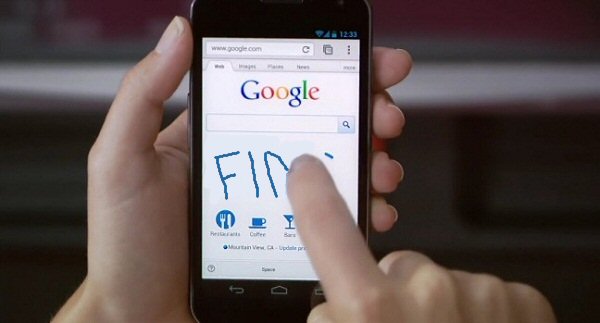
Gradually Google are trying to get rid of the keyboard! Handwrite, the latest development from Google for your mobile handset lets you use your finger or stylus (if you are that way inclined) to write a search term straight your phones screen while on the Google homepage, Google will interpret the writing and automatically search for it.
Its works pretty well, even when my handwriting is dodge, I’ve tried it out on the HTC One X
To activate Handwrite, visit the google homepage while on your mobile device, both tablets and phones will work, got o settings at the bottom of the page. In there you will find a setting to enable Handwrite (It is turned off by default)
[ad#ad-2]
This is still an experiment mode so some browsers may not work but it should work on your stock browser. Check out the video below for further info.
[youtube_sc url=”http://www.youtube.com/watch?v=uyeJXKfAcpc”]
I hate handwriting it takes to long and I want it off of my phone! How do I get it off??!!??
You can remove handwriting by going to settings on the google.com website while using your phone. Halfway down the page there is an option to disable handwriting
Settings and disable tool is not working…still pops up in bottom right corner!
Any other suggestions?
Thanks
It could be an issue with your browsers cache. Try clearing your browsers cache, usually found in settings then go to privacy or security.
After getting rid of handwrite I tried to turn it back on, it wouldn’t work until I cleared the cache
It sucks
I agree